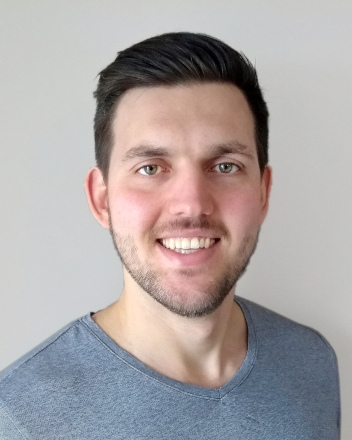
I am a former software engineer at Google Canada (Kitchener-Waterloo) and
- technical lead of Google Cloud's Anti Money Laundering AI machine learning infrastructure team,
- inventor and technical lead of a novel patent-pending framework for conducting ML experiments on customer data in a safe and privacy-preserving way,
- member of the Cloud AI Data Stewardship committee, managing data governance and compliance for Google Cloud's AI products.
I am a former researcher and post-doctoral fellow
- in the Cheriton School of Computer Science, University of Waterloo and
- in the Institute for Formal Methods in Computer Science, University of Stuttgart,
- conducting research in the following areas: automata theory, formal languages, semigroup theory, algorithms, computational complexity and formal verification.
I am a Arch Linux Developer, Arch Linux Package Maintainer, and active contributor to several other open source projects.
My areas of interest include technology, entrepreneurship, investing/finance, sustainability, health/fitness, and travel.
A list of my publications can also be found on DBLP.
Conference Articles
- Lukas Fleischer and Jeffrey Shallit. The State Complexity of Lexicographically Smallest Words and Computing Successors. DLT 2020.
- Lukas Fleischer and Manfred Kufleitner. Testing Simon's congruence. MFCS 2018.
- Lukas Fleischer. The Intersection Problem for Finite Semigroups. DLT 2018.
- Lukas Fleischer. On the Complexity of the Cayley Semigroup Membership Problem. CCC 2018.
- Lukas Fleischer and Manfred Kufleitner. The Intersection Problem for Finite Monoids. STACS 2018.
- Volker Diekert and Lukas Fleischer. Church-Rosser Systems, Codes with Bounded Synchronization Delay and Local Rees Extensions. WORDS 2017.
- Lukas Fleischer and Manfred Kufleitner. Green's Relations in Finite Transformation Semigroups. CSR 2017.
- Lukas Fleischer and Manfred Kufleitner. Operations on Weakly Recognizing Morphisms. DCFS 2016.
- Lukas Fleischer and Manfred Kufleitner. Efficient Algorithms for Morphisms over Omega-Regular Languages. FSTTCS 2015.
- Lukas Fleischer, Manfred Kufleitner and Alexander Lauser. Block Products and Nesting Negations in FO2. CSR 2014.
Journal Articles
- Lukas Fleischer. The Cayley Semigroup Membership Problem. Theory of Computing. 2022.
- Lukas Fleischer and Jeffrey Shallit. Automata, Palindromes, and Reversed Subwords. Journal of Automata, Languages and Combinatorics, volume 26, numbers 3–4, pp 221–253. 2021.
- Lukas Fleischer and Jeffrey Shallit. Recognizing Lexicographically Smallest Words and Computing Successors in Regular Languages. International Journal of Foundations of Computer Science, volume 32, issue 6, pp 641–662. World Scientific, 2021.
- Lukas Fleischer. The Intersection Problem for Finite Semigroups. International Journal of Foundations of Computer Science, volume 31, issue 6, pp 827–842. World Scientific, 2020.
- Lukas Fleischer, Samin Riasat, and Jeffrey Shallit. New Bounds on Antipowers in Words. Inf. Proc. Letters, volume 164. 2020.
- Lukas Fleischer and Trevor Jack. The Complexity of Properties of Transformation Semigroups. International Journal of Algebra and Computation, volume 30, issue 3, pp 585–606. World Scientific, 2019.
- Lukas Fleischer and Manfred Kufleitner. The Complexity of Operations on Weakly Recognizing Morphisms. RAIRO-Theor. Inf. Appl., volume 53, number 1-2, pp 1–17. EDP Sciences, 2018.
- Lukas Fleischer and Manfred Kufleitner. Green's Relations in Deterministic Finite Automata. Theory of Computing Systems, volume 63, issue 4, pp 666–687. Springer, 2018.
- Lukas Fleischer, Manfred Kufleitner and Alexander Lauser. The Half-Levels of the FO2 Alternation Hierarchy. Theory of Computing Systems, volume 61, issue 2, pp 352–370. Springer, 2017.
I am an Arch Linux Developer and an Arch Linux Package Maintainer.
- I currently maintain roughly 150 packages in the official Arch Linux package repositories.
- Between 2011 and 2020, I led the development of the Arch User Repository web interface.
- I contributed to other software and tools in the Arch ecosystem, such as the package manager pacman and the Arch Linux devtools.
- I am the author of aurdupes, a Python script that can be used to find duplicate packages in pacman databases and the Arch User Repository.
I am the current maintainer of calcurse, a powerful command-line based calendar program.
Other projects I have contributed to in the past include
- alot, a terminal-based mail user agent,
- arch-audit, an utility like pkg-audit for Arch Linux,
- GNU automake, a tool to automate parts of the compilation process,
- cgit, a hyperfast web frontend for Git repositories written in C,
- OpenSMTPD spam filter integration,
- the version control system Git,
- jpeg-archive, a utility to compress JPEG images for long-term storage without sacrificing perceived visual quality,
- libfaketime, a library that can be used to modify the system time for a single application,
- the password manager pass,
- pygit2, which provides Python bindings for libgit2, and
- xwax, an open-source Digital Vinyl System for Linux.